
A. Link Asset – Within the Floor
Allows users to link assets placed on the same floor drawing, helping define relationships between assets in close physical proximity.
B. Link Asset – Outside the Floor
Enables linking assets across floors or buildings across the same site using either the Data or Drawing option, supporting cross-floor and cross-building asset dependencies.
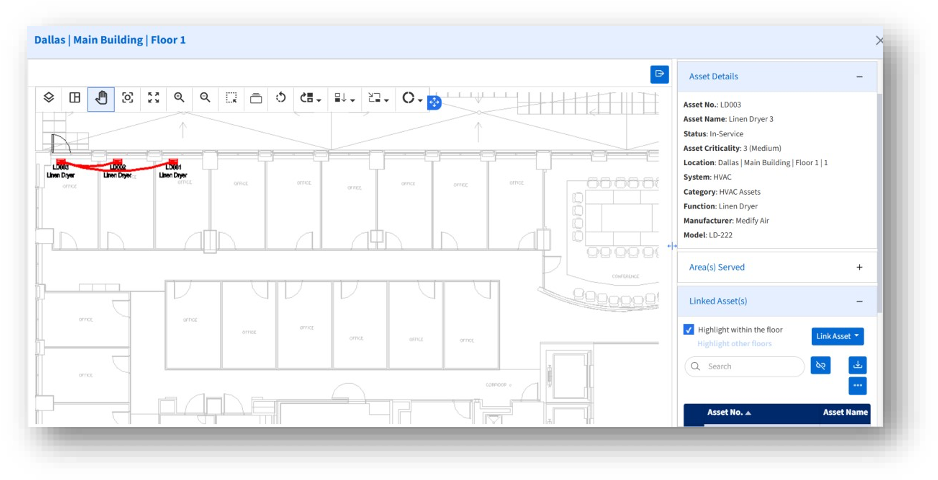
C. Highlight Within the Floor
Allows users to visually highlight associated assets on the current floor.
D. Highlight Outside the Floor
Allows users to visually highlight associated assets outside the floor.
Together, these tools enhance drawing accuracy and usability by enabling precise asset placement, consistent alignment, and faster layout updates directly within the View Drawing interface.