
Navigate: System Settings →Space → Seat→ Seat calendar settings.
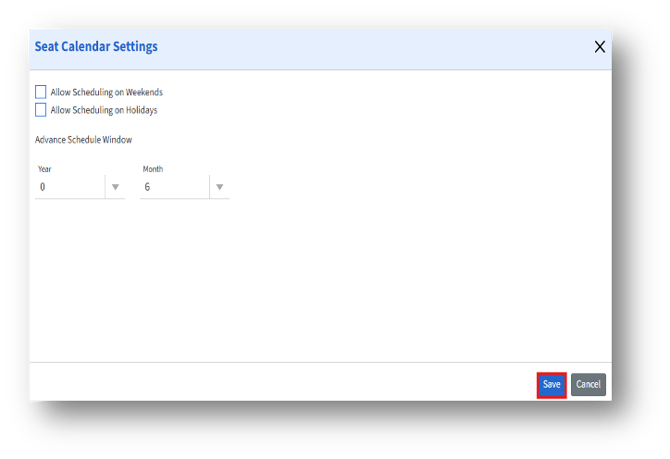
The Seat Calendar settings are as follows:
1. Allow Scheduling on Weekends – When enabled, admins can book or schedule seats on weekends (Saturday and Sunday).
2. Allow Scheduling on Holidays – Enables admins to schedule seat bookings on holidays.
3. Advance Schedule Window – Defines the period in advance that admins can schedule their seat bookings.
4. Year: Specifies the number of years ahead that admins can book seats.
5. Month: Specifies the number of additional months beyond the year value.
6. After updating the settings, click the Save button to apply the changes.