
Step 1: Add an Employee and Convert to User
- Sign in to the application as an Administrator.
- In the left navigation pane, select “Employees.”
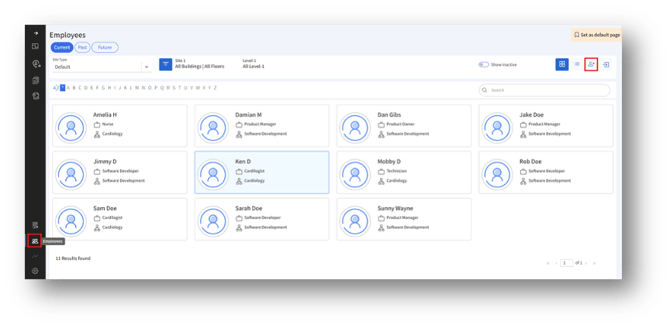
- Click the “Add Employee” button. Then, the “Add Employee” page appears.
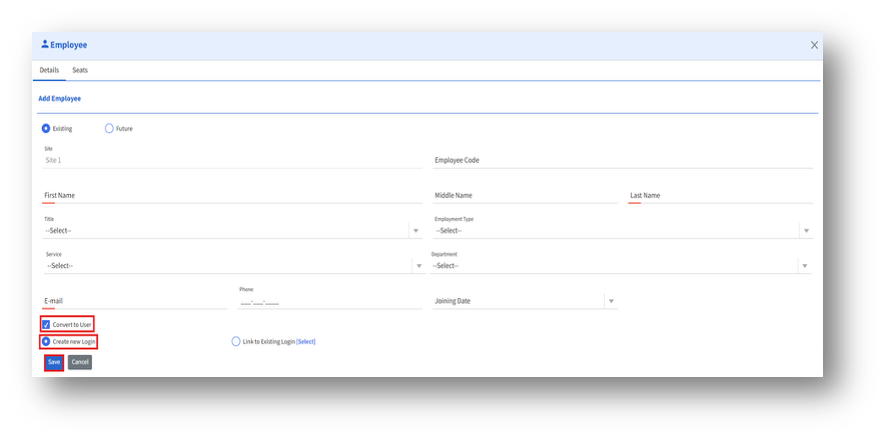
- In the Add Employee page, enter the following mandatory details:
4a. First name
4b. Last name
4c. Email - Check the “Convert to User” checkbox.
- Choose the “Create new Login” option.
- Click the “Save” button to create the new user account.