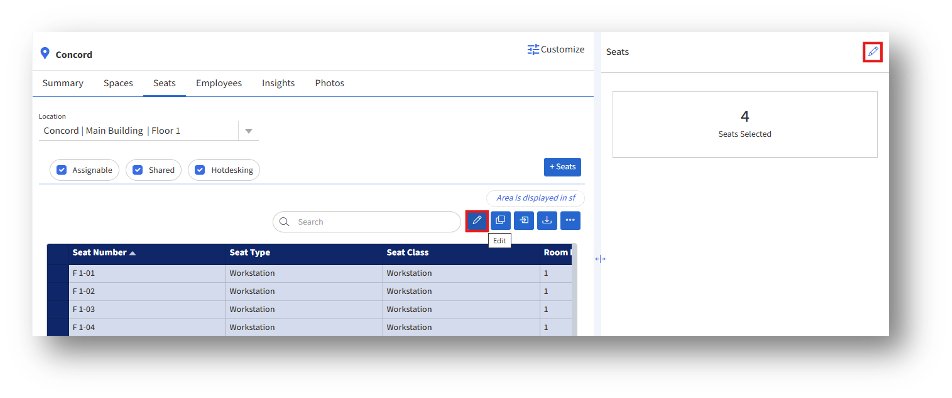
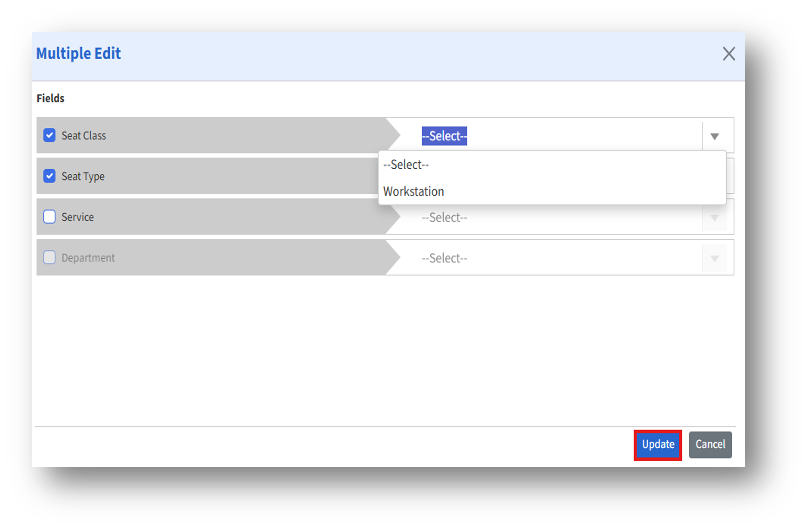
How to edit multiple seats at once? Replacing multiple seats at once 1. Select the seats and click the Edit button. Then, the Multiple Edit page appears. 2. Select the fields to edit and choose from the drop-down list across the field. After editing, click the “Update” button.