Navigate: System Settings→ General → Clipboard
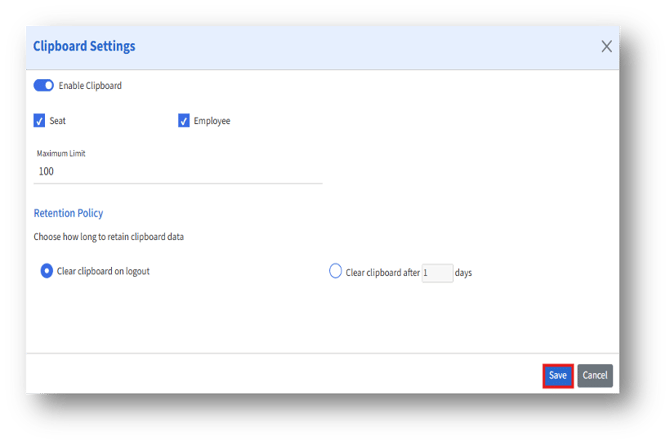
The Clipboard Settings page provides options to:
1. Enable clipboard functionality,
2. Specify the type of items to store (Seat or Employee),
3. Set data limits,
4. Manage data retention policies.
A. Clipboard data typically refers to temporarily stored information (such as Seats or Employee records) copied for reuse within the application.