
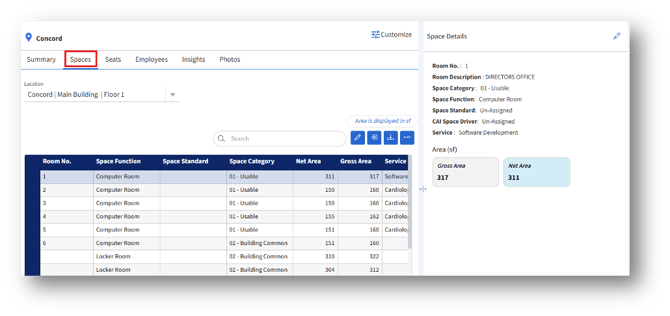
1. Room No. – The unique identifier for each space.
2.Space Category – Identifies the type of space (e.g., Usable).
3.Gross Area – Total size of the space in square feet.
4.Net Area – The area that can be used, excluding walls, structural elements, etc.
5.Spaces – The total number of spaces defined within the selected location.
6.Total Seats – The number of seats available across all spaces.
7.Workstation – A workstation is a permanent or semi-permanent seating unit intended for an employee’s daily work use.
7a.Shared (a seat being used by more than one person on rotation).
7b.Vacant (not currently occupied by any employee).
8. Hotdesking Seats – A hotdesking seat is a flexible, unassigned workspace that employees can use temporarily, usually booked or claimed as needed.
9. Gross Area – The total constructed area of the building, including usable and non-usable space.
10.Net Area – The area that can be used, excluding walls, structural elements, etc.
11. Usable Area – The total area available for workspaces (slightly higher than net, possibly due to allocation adjustments).
12. Common Area – Shared areas such as hallways, lobbies, meeting zones, or break rooms.
13. Fully Vacant Area – Indicates there is no completely unoccupied or unassigned area.