
1. The admin can add multiple seats at once only if seat auto-numbering is enabled under Seat Number Settings.
2. The “Add Seat” page appears with the following information:
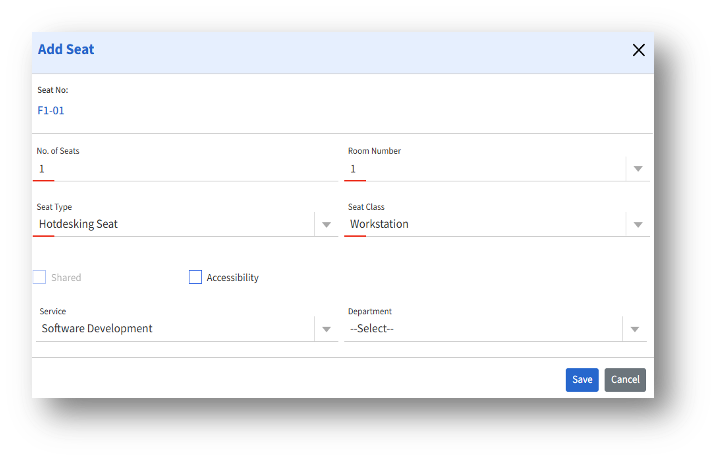
3. Seat number – Auto-generated unique ID
4. No. of Seats – Enter the number of workstations/seats to add
5. After adding the details, click the Save button to create a seat.