
Drop files or add attachments here
1. The admin can drag and drop files inside the “Drop files or add attachments here” column or click and browse the file from the system.
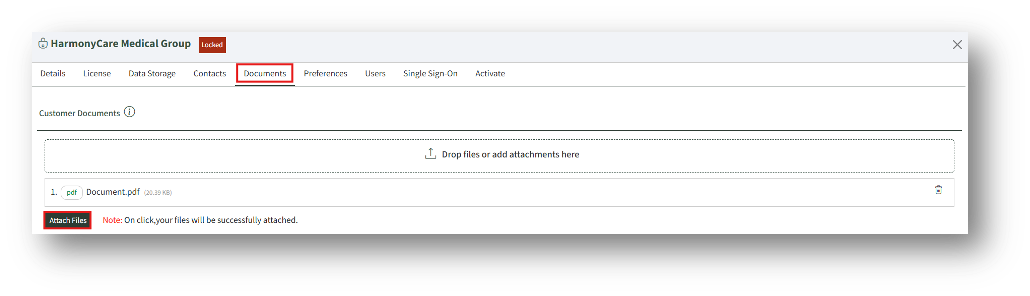
2. After adding a file, the “Attach Files” button will appear.
3. Click the Attach Files button to upload the file into the system.