
1. Log in as an administrator user in the VLogic Admin Console.
2. Click the “Customers” tab on the left panel.
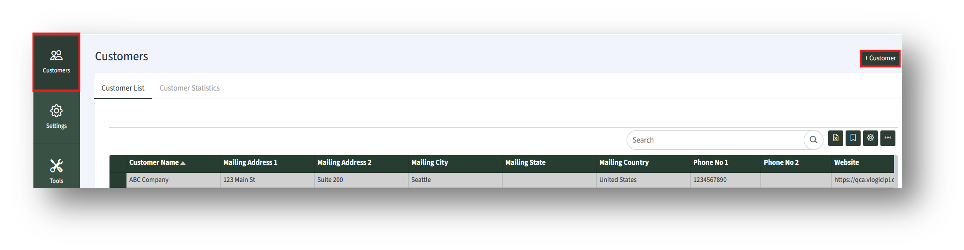
3. To add a new customer, click the “+ Customer” button. Then, the “New” tab of the “New Customer” page appears.
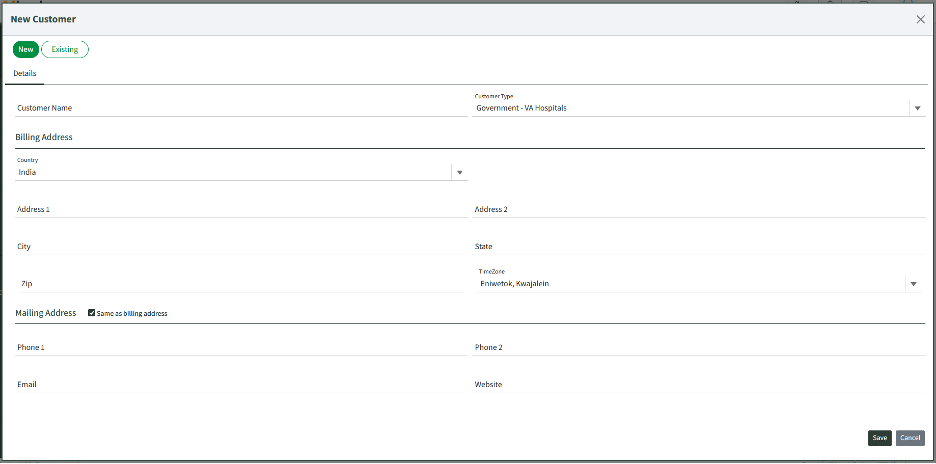
4. Enter the details and save the customer by clicking the “Save” button. Wait for the confirmation (toast/alert) that the customer was created.
5. On successful save, new tabs will be displayed as below. You may edit details at any time.
