Navigate: Reports and Insights → Reports.
The Reports page provides a centralized location for users to view, generate, and analyze various workspace-related reports.
Within the Reports section, users can access multiple report categories listed in the left panel.
Available Report Categories
1. Area Distribution
a. Summary Report
b. CAI Space Driver
c. Organizational Unit
2. Occupancy Details
3. Seat Allocation
4. Vacant Seats
Area Distribution – Summary Report
Overview
The Area Distribution Summary Report displays a consolidated view of space utilization across selected locations, buildings, and floors. It provides detailed insights into various area types, including usable, common, and chargeable areas.
Configuration Options
- Location Selection
Location: The [Select] allows users to choose the desired site(s) for report generation.

2. Report Type
Options:
a. Summary Report – Displays summarized area information across all selections.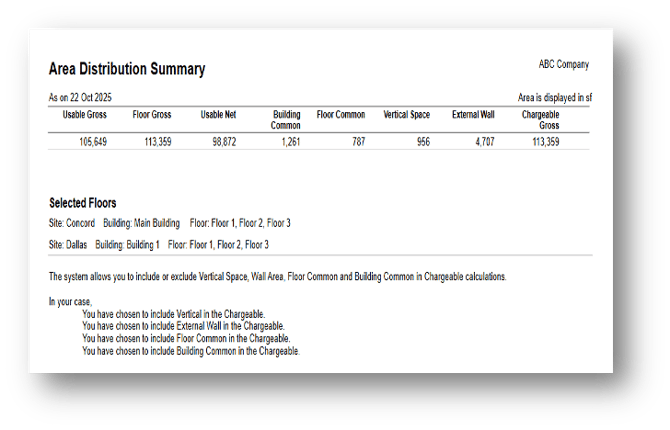
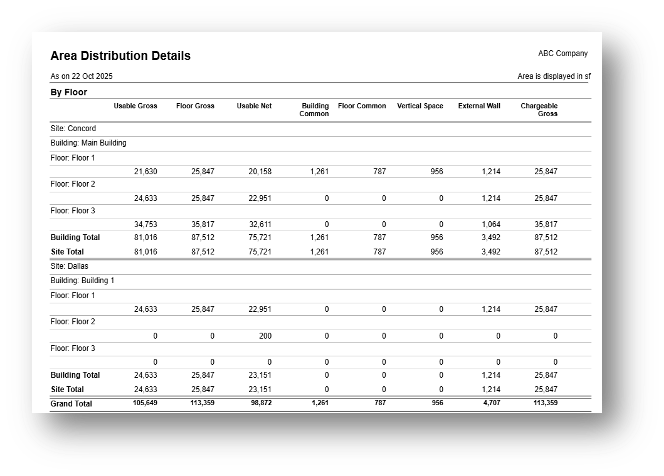
b. Detailed Report – Provides in-depth data for each floor or section.
3. Apply Button
Action: Click Apply to generate or refresh the report based on the selected filters and report type.
Area Distribution – CAI Space Driver
Overview
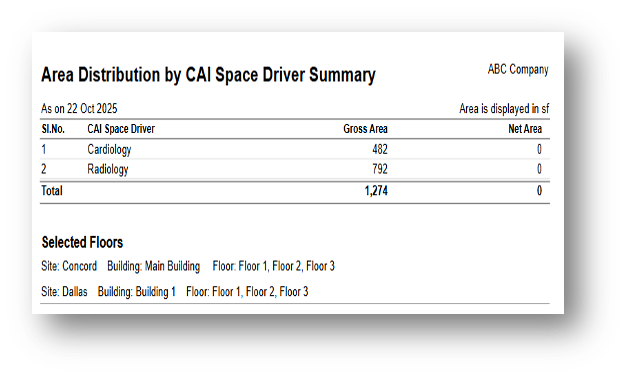
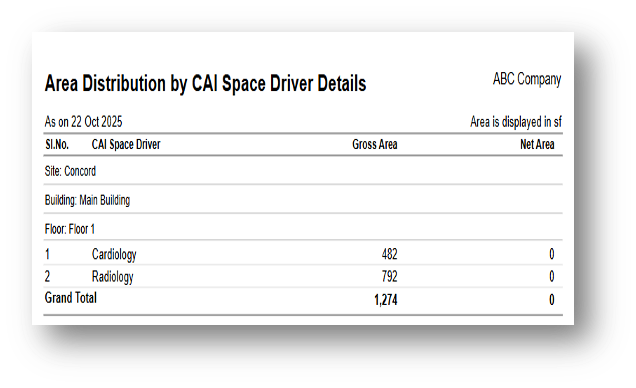
The CAI Space Driver section under Area Distribution provides a comprehensive view of how the total area is distributed based on defined CAI Space Driver categories.

Report Types
- Summary Report
Displays a consolidated total of Gross Area and Net Area for each CAI space driver.
2. Detailed Report
Provides a more granular breakdown of Gross and Net Area per floor and per CAI space driver.
Area Distribution – Organizational Unit
Report Based On
- Space
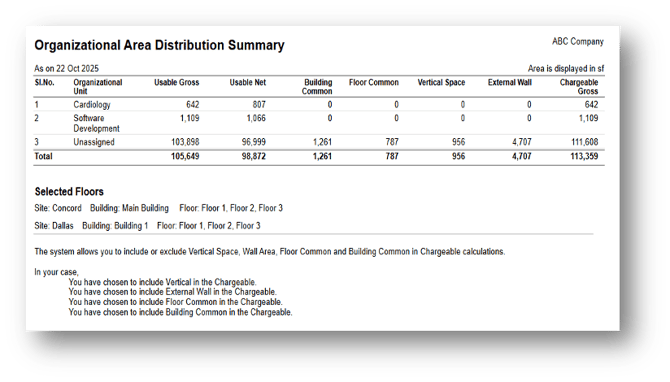
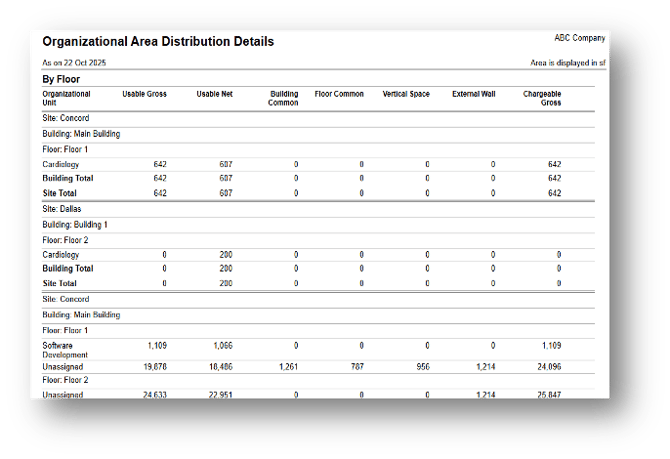
Generates a report showing the distribution of gross and net usable areas assigned to each organizational unit.
Displays values such as Usable Gross, Usable Net, Floor Common, Building Common, Chargeable Gross, etc.

Report Types
- Summary Report - Space
Displays a consolidated view of data grouped by each organizational unit.
 2. Detailed Report - Space
Provides an in-depth breakdown of space data for each floor or building under an organizational unit.
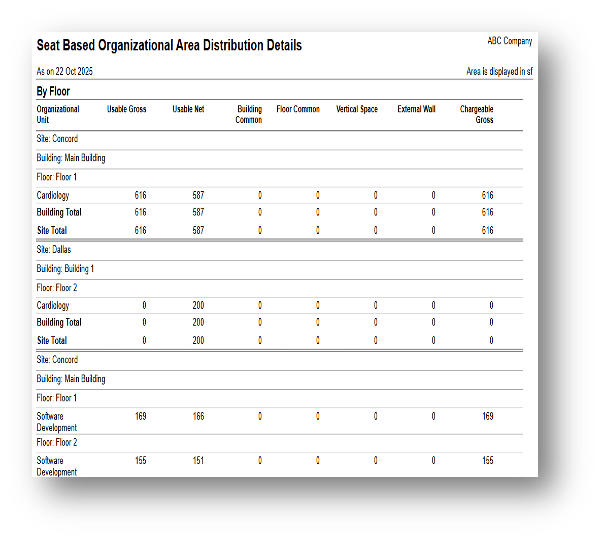
2. Seat
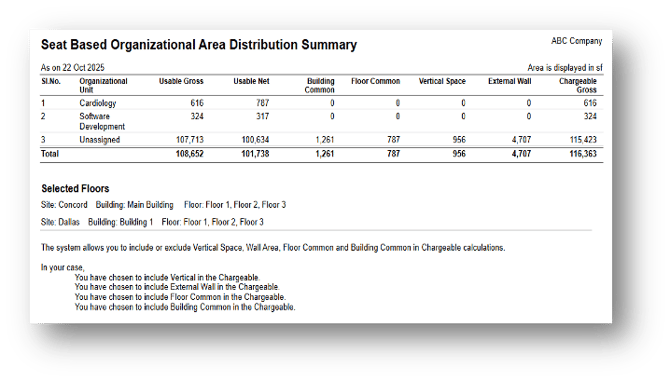
Generates a report showing seat allocation by organizational unit.

Report Types
- Summary Report - Seat
Displays a consolidated view of seat data grouped by each organizational unit.
 2. 2. Detailed Report - Seat
Occupancy Details
Overview
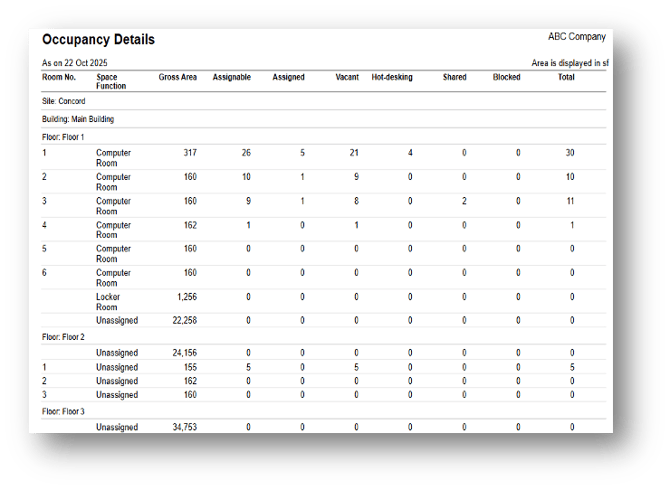
The Occupancy Details section provides a comprehensive overview of workspace utilization across selected sites, buildings, and floors.

Report Types
- Summary Report
Provides a high-level overview of occupancy distribution for each building or floor.
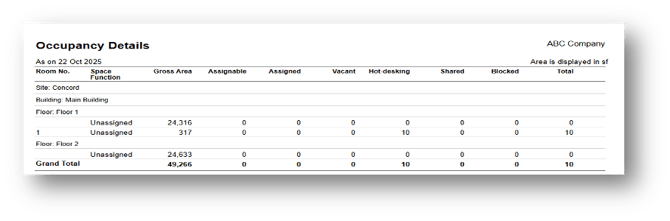
2. Detailed Report
Presents site-wise and floor-wise breakdowns of occupancy metrics.
Seat Allocation
Overview
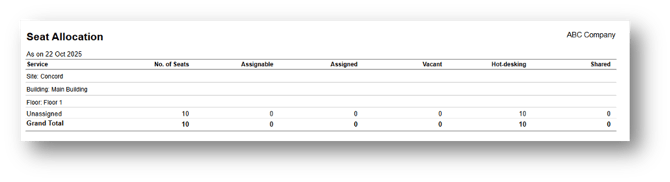
The Seat Allocation Report provides a detailed overview of how seats are distributed, assigned, and utilized across various sites, buildings, and floors.
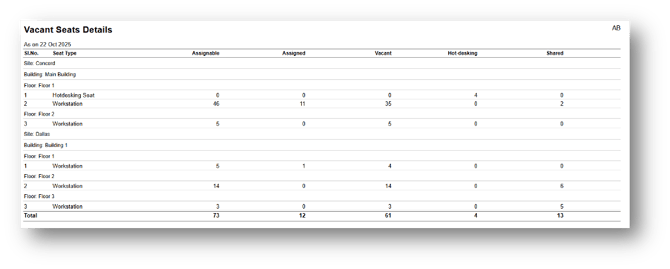
Vacant Seats
Overview
The Vacant Seat Details provides a detailed overview of seat availability and utilization across different sites, buildings, and floors.