The Insights page in the Reports and Insights module provides a graphical representation of data metrics for building and floor areas.
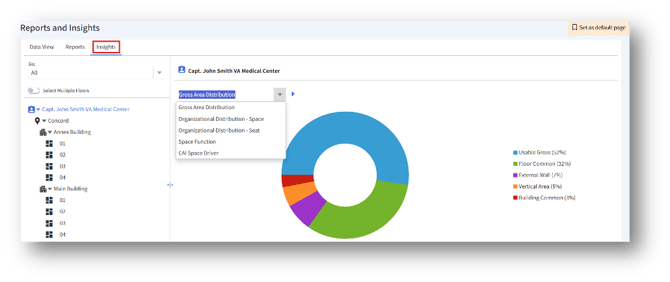
- Navigate to Reports and Insights → Insights.
- Select a Site (or leave as All).
- Turn on Select Multiple Floors (if comparing across multiple floors).
- Choose one or more floors from the hierarchy.
- From the dropdown, select an option from the following data summary drop-down list:
a. Gross Area Distribution
b. Organizational Distribution – Space
c. Organizational Distribution – Seat
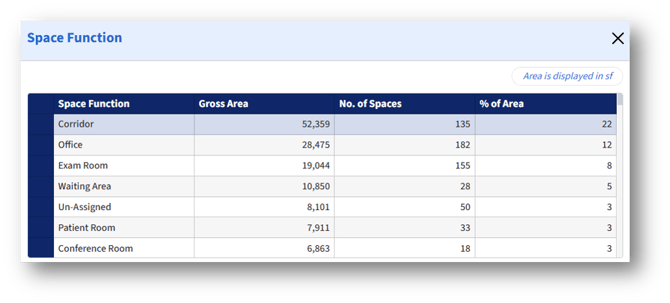
d. Space Function
e. CAI Space Driver
6. View the chart to analyze space distribution metrics.
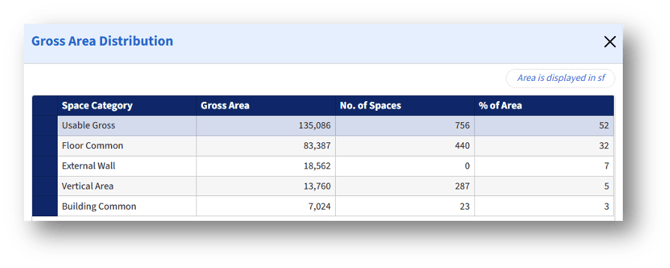
Gross Area Distribution
1. The chart shows the gross area distribution metrics for the selected location.
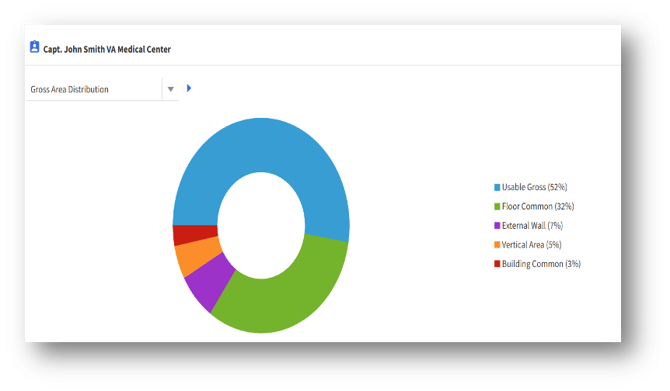
2. Clicking anywhere on the chart will display the tabular view of the Gross Area Distribution.
Organizational Distribution – Space
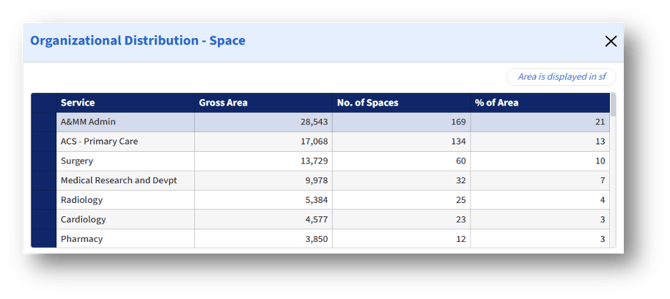
1. The chart represents the space-related organizational distribution metrics of the location selected.
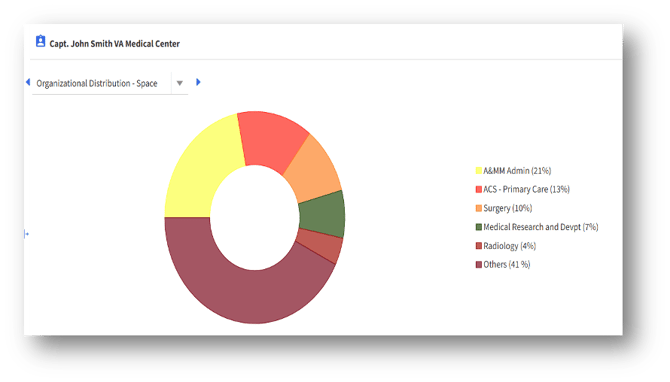
2. Clicking anywhere on the chart will display the tabular view.
Organizational Distribution – Seat
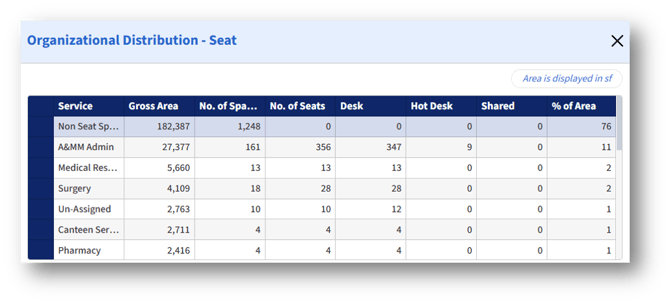
1. The chart shows the seat-related organizational distribution metrics for the selected location.
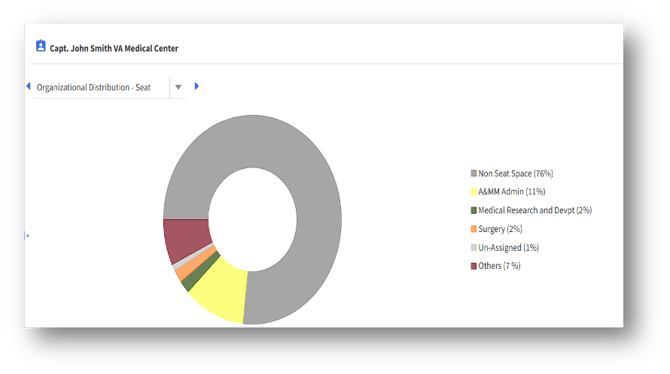
2. Clicking anywhere on the chart will display the tabular view.
Organizational Distribution – Seat
1. The chart shows the space-related metrics for the selected location.
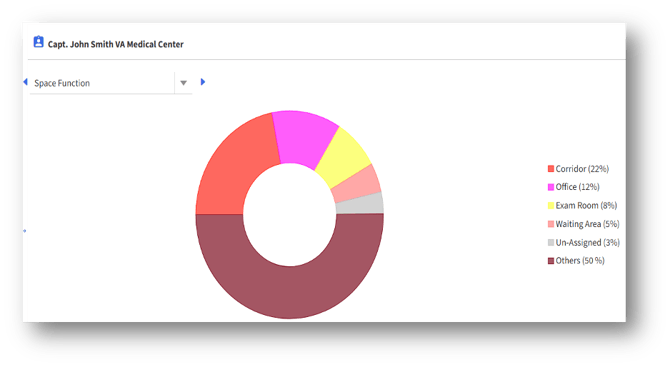
2. Clicking anywhere on the chart will display the tabular view.
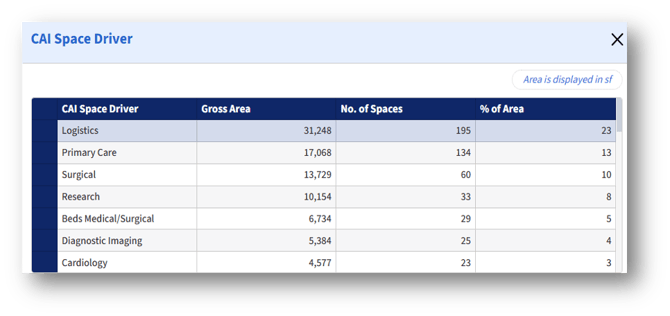
CAI Space Driver
1. The chart shows the CAI Space-related metrics for the selected location.
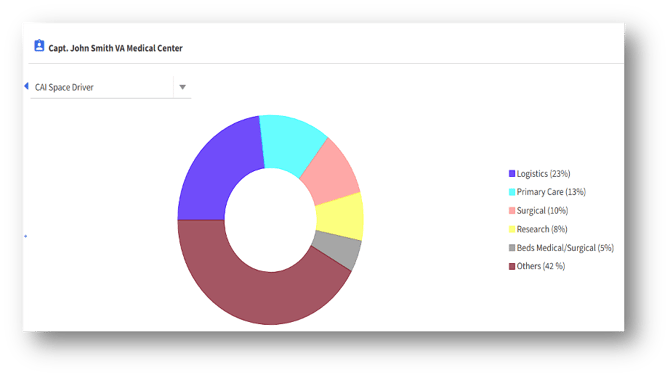
2. Clicking anywhere on the chart will display the tabular view.