
1. To select the Project tab, click the three dots near Labels, and then the “Project” option will appear.
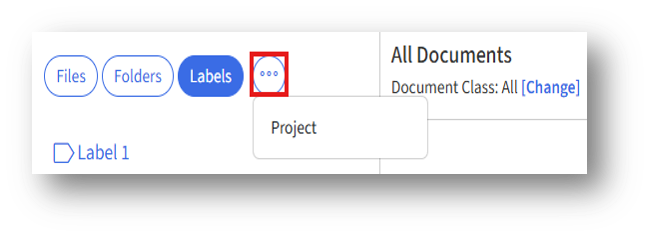
2. Clicking the “Project” enables the Project tab.
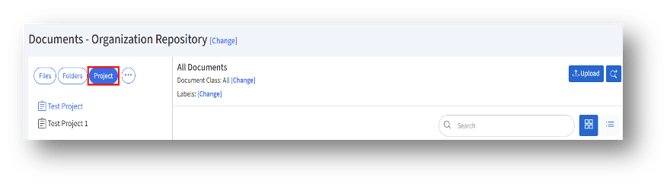
3. To upload a document under a project, the admin must first create a project.
4. After choosing the project, click the Upload button to upload a document. In the Upload Document page, the project will already be selected.
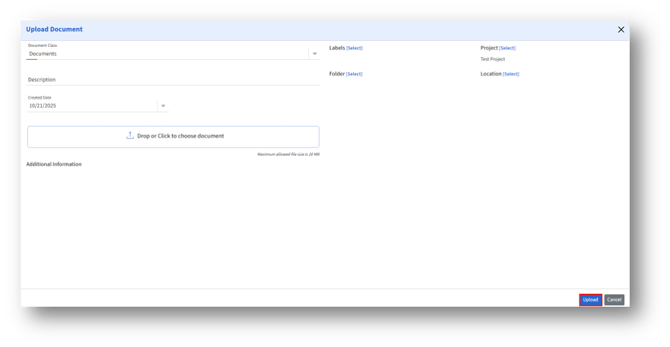
5. After entering the details, click the “Upload” button.