1. To upload a document under Labels, the admin must first create a label.
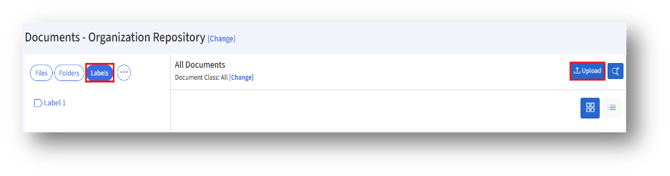
2. Select the label and click the Upload button to upload a document. In the Upload Document page, the label will already be selected.

1. To upload a document under Labels, the admin must first create a label.
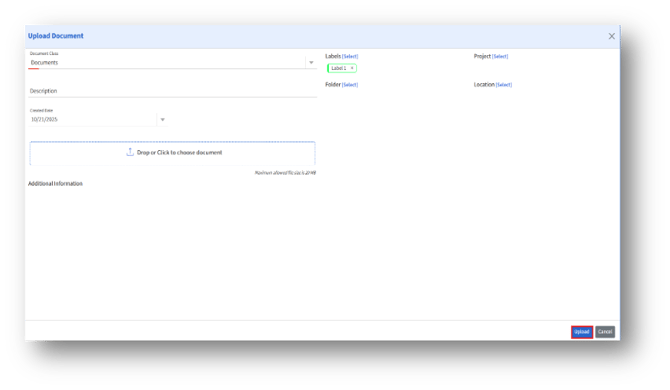
2. Select the label and click the Upload button to upload a document. In the Upload Document page, the label will already be selected.