
Navigate: System Settings →Space → Space → Space Categories.
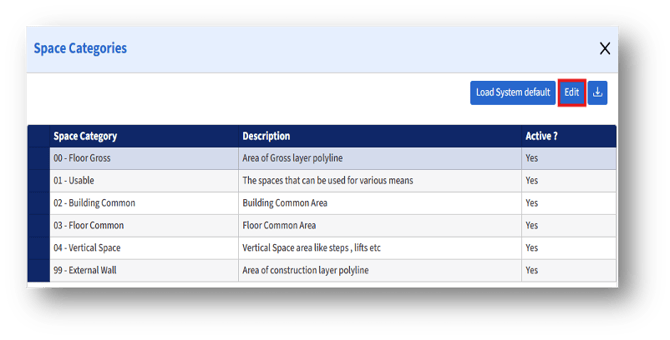
After selecting the Space category, click the “Edit” button to edit the space category details. Then, the “Edit Space Category” page appears.
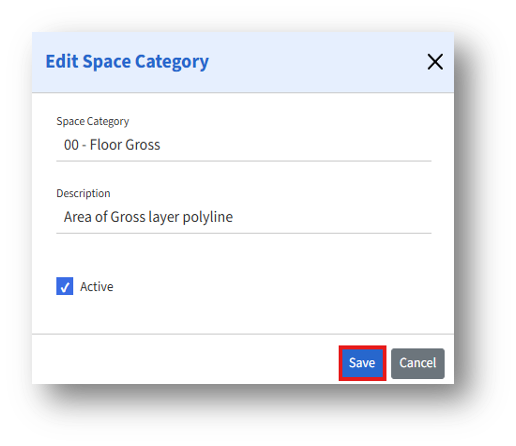
The admins can edit the available fields:
1. Active checkbox – If checked, the Space category remains available for selection. If unchecked, the category will be hidden from dropdowns
2. After editing the details, click the Save button to apply the changes.