
Navigate: System Settings →Organization → Calendar→ Calendars→ Exceptions
1. Click the “Add” button against the Exceptions.
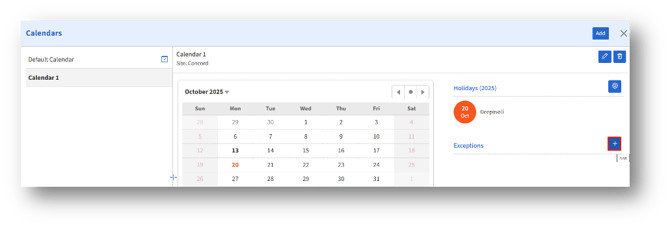
2. Clicking the “Add” button opens the “Add Exception” page.
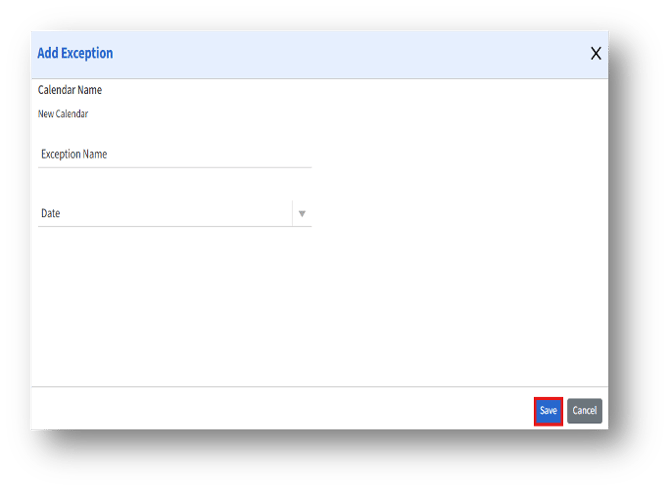
4. Enter the Exception Name and Date, click the Save button to save the exception and add it to the selected calendar.