
Navigate: System Settings→ Accounts → Roles and Users → Users.

1. Clicking the “+User” button opens the “New User” page.
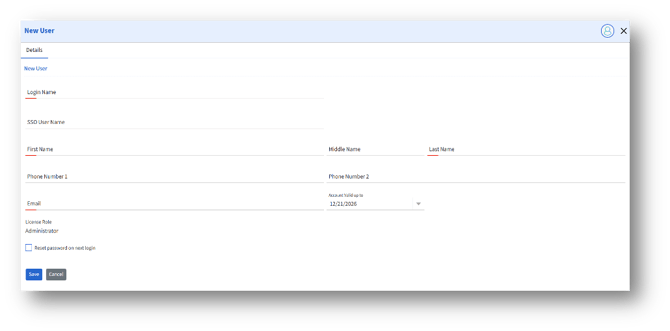
2. Reset password on next login – Enable the option to require the user to create a new password the next time they sign in.
3. Enter the details and click Save to create a new admin.