
Navigate: System Settings →Space → Seat→ Classes.
1. The Add Seat Class page allows admins to define and categorize seat classes within the system.
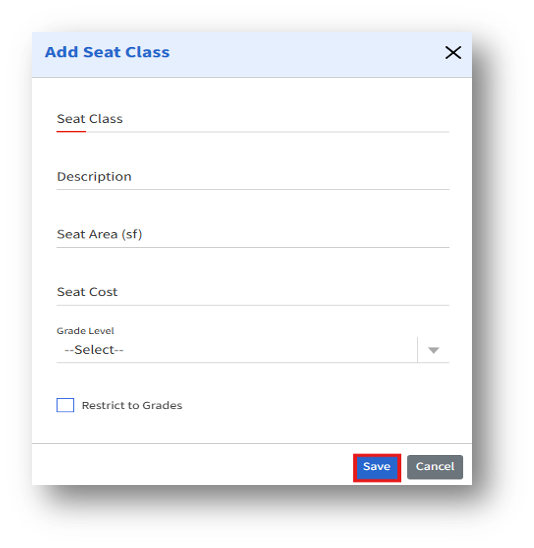
2. Restrict to Grades – When enabled, the seat class will be restricted to the selected grade level(s).
3. After entering the details, click the Save button to create the new seat class.
4. The created seat class will now be available for selection during seat creation, allocation, and move processes.